KARTEE
Apple & Google WalletDigital BusinessCards
Put a brand-controlled digital business card directly into Apple Wallet and Google Wallet, working seamlessly online and offline. KARTEE equips your workforce with mobile wallet passes, integrated alongside the payment cards they use every day. Drive friction-free networking without forcing recipients to download an app, ensuring every connection is captured and governed.

Networking Apps and Weak Connectivity Create Friction at Events
Forcing prospects to download third-party networking apps or relying on spotty Wi-Fi during events costs teams valuable business opportunities.
When sales teams, executives, or event representatives exchange contact details in crowded convention centers, underground venues, or offline environments, poor mobile connection often breaks traditional digital business card links. At the same time, asking prospective clients to install a proprietary app just to save a contact causes immediate drop-off.
Without centralized IT governance over native wallet passes, organizations struggle to maintain consistent brand identity, up-to-date contact information, and enterprise security compliance across employee mobile devices. KARTEE provides the infrastructure to enforce these standards.
Branded Native Wallet Passes Engineered for Hybrid Business Environments
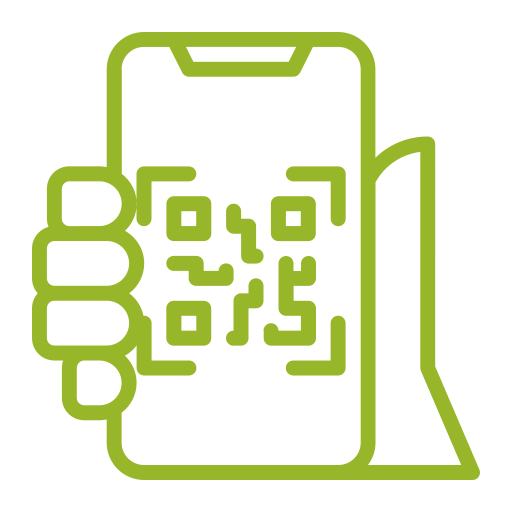
KARTEE issues governed Apple Wallet and Google Wallet passes engineered for universal access, featuring dual-mode online and offline sharing. We integrate corporate digital identity directly into native mobile wallets on iOS and Android. Employees display their branded pass with a quick double-tap, enabling instant contact saving via standard QR scanning. Our dual-mode architecture ensures your team is always ready to connect: online mode routes prospects to a dynamic live profile, while offline mode displays a vCard QR snapshot for zero-service contact capture.
Native iOS & Android Support
Native Apple Wallet (.pkpass) and Google Wallet integration with corporate logos and brand colors.
Dual Online & Offline Modes
Dynamic live profile QR when connected; offline vCard QR snapshot when internet access is unavailable.
Zero Recipient Friction
No app installation required for recipients - scans natively via standard smartphone cameras.
Centralized Team Governance
Issue, update, or revoke wallet passes globally across sales reps, executives, and field teams.
How Apple & Google Wallet Passes Work
Deploy native mobile wallet business cards across your team in four simple steps.
Generate Branded Pass
Automatically generate custom wallet passes from managed KARTEE employee profiles.
Add to Phone Wallet
Employees add their pass to Apple Wallet or Google Wallet via a direct link, email invite, or QR code.
Share Online
In connected environments, the pass QR code routes recipients to an interactive, dynamic live profile page.
Share Offline
In low-connectivity environments, toggle to offline mode to display a frozen vCard QR snapshot until internet access returns.
Who Uses Apple & Google Wallet Digital Business Cards?
Designed for mobile-first professionals, event sales representatives, and enterprise field teams.
Field Sales & Account Executives
Present a sleek, modern corporate identity during in-person client meetings and trade shows.
Event & Conference Attendees
Exchange details rapidly in high-traffic, low-connectivity exhibition halls without app friction.
Corporate Executives & Directors
Maintain a high-touch, brand-governed digital pass directly on native smartphone wallets.
Global & Hybrid Remote Teams
Ensure uniform contact sharing standards across distributed workforces without physical card logistics.
IT & Operations Program Owners
Standardize employee identity deployment using centralized lifecycle management and automated updates.
Sustainability & ESG Officers
Eliminate paper business card printing while deploying modern paperless digital identities to all employees.
Apple & Google Wallet Digital Business Cards FAQ
Answers to common questions about deploying native mobile wallet passes for your team.
Which mobile wallet platforms does KARTEE support?
KARTEE natively supports both Apple Wallet (iOS) and Google Wallet (Android). Passes are formatted to match native OS visual standards and design guidelines.
What is the difference between online mode and offline mode on a wallet pass?
Online mode displays a dynamic QR code that opens the employee's live KARTEE profile landing page. Offline mode displays a localized vCard QR code containing essential contact details (name, title, phone, email) that can be scanned and saved directly to a contact book without an internet connection.
Do recipients need to install the KARTEE app to scan or save a wallet pass?
No. Recipients simply scan the pass QR code using their native smartphone camera. Contact details can be saved directly into their device's address book with a single tap.
Can administrative teams update wallet pass information after it has been added to an employee's phone?
Yes. When contact details, titles, or branding are updated in the central KARTEE admin console, live web profiles update immediately. Dynamic online wallet passes reflect changes instantly upon refresh, while offline vCard snapshots update whenever a pass is reissued.
Do wallet passes replace physical NFC business cards?
No. Apple & Google Wallet passes act as a digital distribution channel alongside physical NFC cards and dynamic web links. They complement physical NFC cards, giving employees multiple friction-free ways to share their contact information.
How do employees install their Apple Wallet or Google Wallet pass?
Employees receive an automated onboarding email or magic link containing single-click "Add to Apple Wallet" and "Add to Google Wallet" buttons, allowing setup in seconds without IT assistance.
Can corporate IT control the design and locked fields of wallet passes?
Yes. Enterprise administrators can lock specific fields (such as company logo, legal disclaimer, job titles, and color palettes) to ensure 100% brand governance across all deployed wallet passes.
Part of the same platform
Every channel points to one brand-controlled identity.
Live Digital
Business CardBrand-controlled public identity - share instantly via link, QR, or NFC. Recipients need zero apps.
Link-in-Bio
HubTurn social and digital profiles into high-converting mobile landing pages for products and services.
Apple & Google
WalletNative Wallet passes for effortless online and Airplane (offline) sharing, always linked to the live profile.

Corporate Email
SignaturesHTML signatures locked to the live profile, turning every outbound email into a lead-capture surface.

Meeting
BackgroundsQR overlays for Zoom, Microsoft Teams, and Google Meet that enable instant 2-way contact exchange.

Lead Capture
& CRM IntegrationTwo-way contact exchange, paper-card scanning, mini-CRM, and direct connectors to your corporate CRM.

AI Paper
Card ScannerPhotograph a paper card in the web app. Vision AI extracts contacts for human review and syncs to your Mini-CRM.
Campaign QR
GeneratorStatic and dynamic codes with smart rules, scan analytics, and destinations you control for enterprise campaigns.
NFC Business
CardsTap a physical card to open a live profile - no app for the recipient, always up to date.

Industry Profile
ModulesTailored profile sections and workflows for healthcare, hospitality, education, government, and enterprise.

Enterprise
InfrastructureMulti-entity branding, custom domains, SSO, directory sync, field locks, and first-class Arabic RTL.

ESG
DashboardTrack estimated paper, water, and CO₂ saved; a tree funded for every physical NFC card ordered.
Resources & Insights
Best practices for event lead capture, digital business cards, and CRM integration.
What is an NFC Business Card? The 2026 Guide to Smart Networking
An NFC business card shares a live profile with a tap. Recipients need no app. KARTEE pairs optional NFC with QR and Wallet in Online and Airplane (offline) mode, and captures contacts for CRM.

The Hidden Environmental Cost of Business Cards: A Powerful ESG Analysis for B2B Leaders
Why paper business cards show up in ESG and paper-avoided estimates. KARTEE dashboard tracks directional paper, water, and CO2, not audited carbon accounting.
What is a Digital Business Card? | The Essential 2026 Guide to Paperless Contact Sharing
A digital business card is a live profile shared by QR, Wallet, link, or optional NFC. Recipients need no app. KARTEE adds governed identity and CRM capture for Salesforce, HubSpot, Zoho, Pipedrive, Monday.com, and Dynamics 365.
Ready to deploy KARTEE across your organization?
Tell us about your team. We’ll map digital profiles, Wallet, signatures, and CRM capture to how you actually work - then show a rollout that stays on-brand.