KARTEE
Branded Virtual MeetingBackgrounds with LiveProfile QR
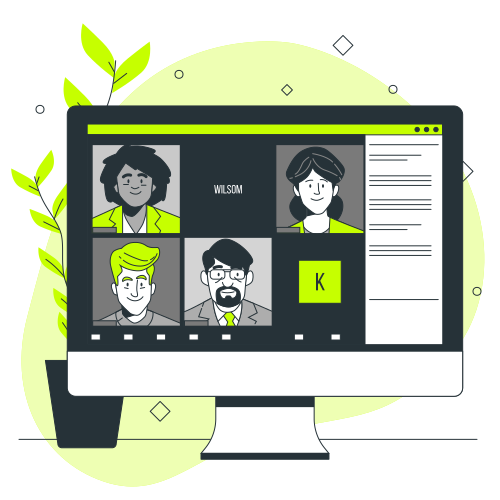
Enforce brand consistency and streamline contact capture across all virtual meetings. KARTEE backgrounds embed dynamic, personalized QR codes, linking directly to each employee's governed live profile for instant, app-free contact exchange.
%20--%3e%3csvg%20version='1.1'%20id='Layer_1'%20xmlns='http://www.w3.org/2000/svg'%20xmlns:xlink='http://www.w3.org/1999/xlink'%20x='0px'%20y='0px'%20viewBox='0%200%20512%20512'%20style='enable-background:new%200%200%20512%20512;'%20xml:space='preserve'%3e%3cstyle%20type='text/css'%3e%20.st0{fill:%2398B629;}%20%3c/style%3e%3cg%3e%3cg%3e%3cpath%20class='st0'%20d='M288,220.9l-54.4,54.4l-9.7-9.7c-3-2.9-7.7-2.8-10.6,0.2c-2.8,2.9-2.8,7.5,0,10.4l14.9,14.9%20c2.9,2.9,7.6,2.9,10.6,0l59.7-59.7c2.9-3,2.8-7.7-0.2-10.6C295.5,218.1,290.9,218.1,288,220.9L288,220.9z'/%3e%3cpath%20class='st0'%20d='M375.4,270.9h-1c8.7-65-37-124.7-102-133.3c-10.4-1.4-20.9-1.4-31.4,0v-1C241.2,78.9,194.4,32,136.7,31.9%20C79,31.9,32.2,78.6,32.1,136.3c0,31.9,14.5,62.1,39.5,81.9c0.1,0.1,0.3,0.2,0.4,0.3c9.5,7.5,20.2,13.3,31.7,17.2%20c0.1,0.1,0.3,0.1,0.5,0.2c10.5,3.4,21.4,5.2,32.5,5.2h1c-8.7,65,37,124.7,102,133.3c10.4,1.4,20.9,1.4,31.4,0v1%20c0,31.8,14.5,61.9,39.5,81.7c0.1,0.1,0.3,0.2,0.4,0.3c9.5,7.5,20.2,13.3,31.7,17.2c0.1,0.1,0.3,0.1,0.5,0.2c21.1,7,43.9,7,64.9,0%20c0.2-0.1,0.3-0.1,0.5-0.2c11.5-3.8,22.2-9.6,31.7-17.2c0.1-0.1,0.3-0.2,0.4-0.3c45.1-35.9,52.7-101.5,16.8-146.7%20C437.5,285.4,407.3,270.9,375.4,270.9z%20M375.4,390.3c-20.5,0.1-37.2-16.4-37.3-36.9c0-4.4,0.7-8.8,2.3-13%20c5.8-5.8,10.9-12.2,15.4-19c5.9-3.7,12.7-5.7,19.7-5.7c20.6,0,37.3,16.7,37.3,37.3S396,390.3,375.4,390.3z%20M47,136.6%20C47,87.1,87.1,47,136.6,47s89.6,40.1,89.6,89.6c0,1.4,0,2.7-0.1,4c-15.8,4.1-30.5,11.4-43.4,21.4c-4-3-8.5-5.5-13.2-7.2%20c22.4-18.2,25.9-51.1,7.7-73.5s-51.1-25.9-73.5-7.7S77.8,124.6,96,147c2.3,2.8,4.9,5.4,7.7,7.7c-18,6.6-30.9,22.6-33.7,41.5%20C55.2,179.9,47,158.6,47,136.6z%20M99.3,114.2c0-20.6,16.7-37.3,37.3-37.3s37.3,16.7,37.3,37.3s-16.7,37.3-37.3,37.3%20S99.3,134.8,99.3,114.2z%20M136.6,226.1c-7.6,0-15.1-1-22.4-2.9v-19.4c0-4.1-3.3-7.5-7.5-7.5s-7.5,3.3-7.5,7.5v14.2%20c-5.2-2.4-10.2-5.3-14.9-8.7v-5.5c0-20.6,16.7-37.3,37.3-37.3h29.9c6.9,0,13.8,2,19.6,5.7c-14.8,15-25.3,33.6-30.6,53.9%20C139.3,226.1,138,226.1,136.6,226.1L136.6,226.1z%20M151.5,256c0-57.7,46.8-104.5,104.5-104.5S360.5,198.3,360.5,256%20S313.7,360.5,256,360.5C198.3,360.4,151.6,313.7,151.5,256z%20M285.9,375.4c0-1.4,0-2.7,0.1-4c13.3-3.4,26-9.1,37.3-16.9%20c0.4,15.2,7.5,29.4,19.3,39c-18,6.6-31,22.6-33.7,41.5C294.1,418.7,285.9,397.5,285.9,375.4z%20M353,462v-19.4%20c0-4.1-3.3-7.5-7.5-7.5c-4.1,0-7.5,3.3-7.5,7.5v14.2c-5.2-2.4-10.2-5.3-14.9-8.7v-5.5c0-20.6,16.7-37.3,37.3-37.3h29.9%20c20.6,0,37.3,16.7,37.3,37.3v5.4c-4.7,3.4-9.7,6.3-14.9,8.8v-14.2c0-4.1-3.3-7.5-7.5-7.5s-7.5,3.3-7.5,7.5V462%20C383.1,465.9,367.7,465.9,353,462z%20M442,435.1c-2.8-19-15.7-34.9-33.7-41.5c22.4-18.2,25.8-51.1,7.6-73.5%20c-9.9-12.2-24.8-19.3-40.5-19.3c-3.1,0-6.1,0.3-9.1,0.9c2.1-5.1,3.8-10.4,5.2-15.7c49.3-2.3,91.2,35.9,93.4,85.2%20C466,394.7,457.7,417.6,442,435.1z%20M298.6,41.7c-2.9-2.9-7.6-2.9-10.6,0l-22.4,22.4c-2.9,2.9-2.9,7.6,0,10.6L288,97.1%20c3,2.9,7.7,2.8,10.6-0.2c2.8-2.9,2.8-7.5,0-10.4l-9.3-9.3c94.5,5.9,168.1,84.1,168.2,178.8c0,4.1,3.3,7.5,7.5,7.5s7.5-3.3,7.5-7.5%20c-0.1-103.1-80.8-188.2-183.8-193.8l9.9-9.9C301.5,49.4,301.5,44.6,298.6,41.7z%20M54.5,256c0-4.1-3.3-7.5-7.5-7.5s-7.5,3.3-7.5,7.5%20c0.1,103.1,80.8,188.2,183.8,193.8l-9.9,9.9c-3,2.9-3,7.6-0.2,10.6c2.9,3,7.6,3,10.6,0.2c0.1-0.1,0.1-0.1,0.2-0.2l22.4-22.4%20c2.9-2.9,2.9-7.6,0-10.6L224,414.9c-3-2.9-7.7-2.8-10.6,0.2c-2.8,2.9-2.8,7.5,0,10.4l9.3,9.3C128.2,428.9,54.6,350.6,54.5,256z'/%3e%3c/g%3e%3c/g%3e%3c/svg%3e)
Generic Virtual Backgrounds and Verbal Follow-ups Lose Sales Momentum
Verbal contact exchanges and manual follow-ups lead to lost leads and pipeline friction.
In modern hybrid sales and remote consulting, virtual meetings are often the primary touchpoint with prospective clients. However, sales representatives and advisors frequently use distracting home backgrounds or generic, unbranded virtual images that fail to project enterprise authority.
Even when attendees express interest during a video meeting, typing contact details into call chats or relying on post-meeting emails creates friction, delaying follow-ups and reducing conversion rates.
Enterprise Branded Backgrounds Overlaid with Personalized QR Codes
KARTEE unifies corporate branding with dynamic, personalized QR codes, ensuring every virtual meeting reinforces your brand and captures contacts efficiently. Provide employees with governed, high-definition virtual backgrounds that embed a personalized QR code, linking directly to their live digital profile. This single source of truth means employees never need to update their background image when job titles, contact details, or promotional links change, ensuring consistent, up-to-date information for every interaction.
Unified Corporate Design
Marketing teams maintain complete control over background artwork, logo positioning, and brand guidelines.
Dynamic QR Integration
Automatically overlay personalized profile QR codes onto master company background templates.
Universal Platform Support
High-resolution output optimized for Zoom, Microsoft Teams, Google Meet, and Webex.
Zero Attendee Friction
Call participants scan the screen using native smartphone cameras without downloading any software.
How Branded Meeting Backgrounds Work
Deploy interactive virtual backgrounds across your organization in four simple steps.
Upload Master Artwork
Administrators upload corporate background templates featuring approved branding, logos, and color palettes.
Generate Personal Overlays
The platform automatically generates customized background images for each employee, embedding their unique profile QR code.
Set in Video Platform
Employees upload the generated high-definition image as their virtual background in Zoom, Teams, or Google Meet.
Scan During Calls
Meeting attendees scan the QR code directly off the video screen to access live profiles, save contacts, or access meeting resources.
Who Uses Virtual Meeting Backgrounds?
Designed for remote sales teams, consultants, recruiters, and client-facing professionals.
Remote & Hybrid Sales Teams
Maintain an executive presence on video calls while giving prospects an immediate path to save contact details.
Management Consultants & Advisors
Project high-level credibility during remote presentations and provide easy access to digital credentials.
Recruiters & Talent Acquisition
Allow job candidates to scan and submit resumes or access open vacancy hubs directly during video interviews.
Customer Success & Account Managers
Drive client retention by making direct calendar booking links and support resources scannable on screen.
Event Speakers & Webinar Hosts
Engage virtual audiences by allowing hundreds of webinar attendees to scan and save speaker profiles live.
Enterprise Enablement & Brand Managers
Eliminate unapproved employee backgrounds and ensure consistent corporate identity across all virtual meetings.
Branded Virtual Meeting Backgrounds FAQ
Answers to common questions about deploying virtual backgrounds with embedded QR codes.
Which video conferencing software platforms support KARTEE virtual backgrounds?
KARTEE virtual backgrounds work with any video platform that supports custom image backgrounds, including Zoom, Microsoft Teams, Google Meet, Cisco Webex, and GoToMeeting.
Does the embedded QR code become invalid if an employee updates their contact details?
No. The QR code links directly to the employee's dynamic live profile URL. When an employee updates their phone number, job title, or calendar booking link in the KARTEE dashboard, the landing page updates instantly without requiring a new background image.
Do meeting attendees need to install the KARTEE app to scan the background QR code?
No. Attendees simply point their smartphone camera at the computer screen during the call. The camera natively recognizes the QR code and opens the employee's mobile-optimized profile in a standard browser.
How does KARTEE ensure the QR code is visible and not covered by the speaker on camera?
Master background templates are designed according to video layout standards, positioning the QR code overlay in designated upper-corner zones that remain unobscured by the speaker's head and shoulders on camera.
Can marketing teams deploy different background templates for different departments or campaigns?
Yes. Administrators can create distinct background templates for sales, HR, executive leadership, or specific promotional events, assigning appropriate artwork to different user groups across the enterprise.
What image resolution and aspect ratio are generated for the backgrounds?
KARTEE outputs high-definition (1920x1080 Full HD) PNG/JPEG files formatted in standard 16:9 widescreen aspect ratio, ensuring crisp display without pixelation across all video clients.
How does a meeting background QR code differ from a general marketing campaign QR code?
A meeting background QR code is a personalized workplace asset tied directly to an individual employee's identity and live digital card profile, whereas campaign QR codes route to broader marketing landing pages or static files.
Part of the same platform
Every channel points to one brand-controlled identity.
Live Digital
Business CardBrand-controlled public identity - share instantly via link, QR, or NFC. Recipients need zero apps.
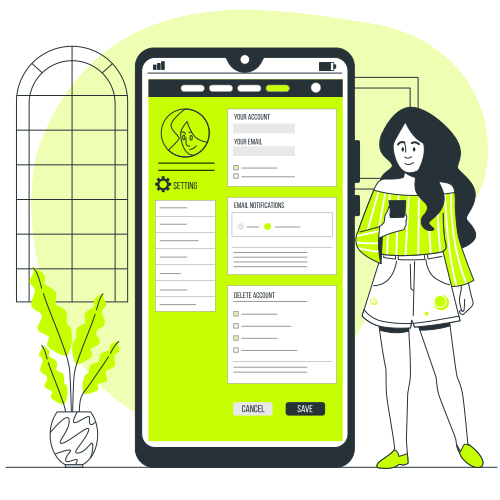
Link-in-Bio
HubTurn social and digital profiles into high-converting mobile landing pages for products and services.
Apple & Google
WalletNative Wallet passes for effortless online and Airplane (offline) sharing, always linked to the live profile.
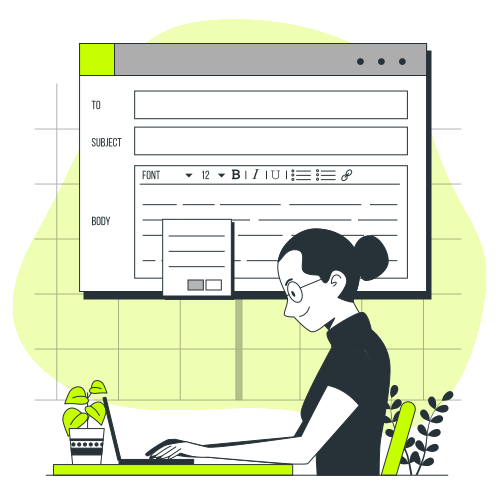
Corporate Email
SignaturesHTML signatures locked to the live profile, turning every outbound email into a lead-capture surface.
Meeting
BackgroundsQR overlays for Zoom, Microsoft Teams, and Google Meet that enable instant 2-way contact exchange.

Lead Capture
& CRM IntegrationTwo-way contact exchange, paper-card scanning, mini-CRM, and direct connectors to your corporate CRM.
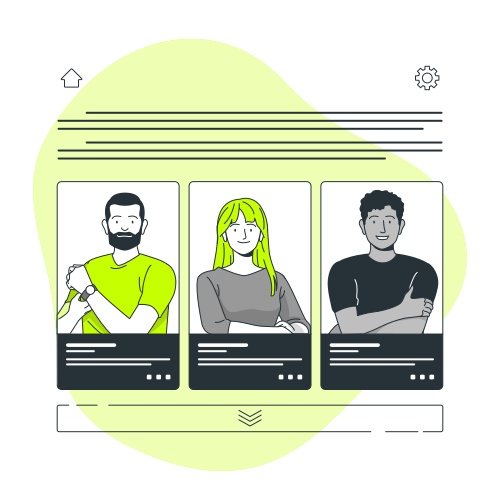
AI Paper
Card ScannerPhotograph a paper card in the web app. Vision AI extracts contacts for human review and syncs to your Mini-CRM.
Campaign QR
GeneratorStatic and dynamic codes with smart rules, scan analytics, and destinations you control for enterprise campaigns.
NFC Business
CardsTap a physical card to open a live profile - no app for the recipient, always up to date.
Industry Profile
ModulesTailored profile sections and workflows for healthcare, hospitality, education, government, and enterprise.

Enterprise
InfrastructureMulti-entity branding, custom domains, SSO, directory sync, field locks, and first-class Arabic RTL.

ESG
DashboardTrack estimated paper, water, and CO₂ saved; a tree funded for every physical NFC card ordered.
Resources & Insights
Best practices for event lead capture, digital business cards, and CRM integration.
What is an NFC Business Card? The 2026 Guide to Smart Networking
An NFC business card shares a live profile with a tap. Recipients need no app. KARTEE pairs optional NFC with QR and Wallet in Online and Airplane (offline) mode, and captures contacts for CRM.

The Hidden Environmental Cost of Business Cards: A Powerful ESG Analysis for B2B Leaders
Why paper business cards show up in ESG and paper-avoided estimates. KARTEE dashboard tracks directional paper, water, and CO2, not audited carbon accounting.
What is a Digital Business Card? | The Essential 2026 Guide to Paperless Contact Sharing
A digital business card is a live profile shared by QR, Wallet, link, or optional NFC. Recipients need no app. KARTEE adds governed identity and CRM capture for Salesforce, HubSpot, Zoho, Pipedrive, Monday.com, and Dynamics 365.
Ready to deploy KARTEE across your organization?
Tell us about your team. We’ll map digital profiles, Wallet, signatures, and CRM capture to how you actually work - then show a rollout that stays on-brand.